
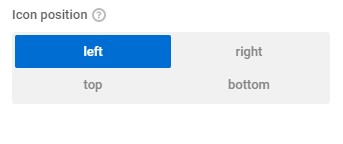

| Name | Type | Default | Description |
| columns | Number | The property allows multiple number types. Example:'columns' => 2, | |
| options | Array | Supported properties are: id name icon $options->add_option(
'show_user',
[
'type' => 'custom_selector',
'title' => __( 'Show user?', 'zionbuilder' ),
'columns' => 2,
'options' => [
[
'name' => __( 'Yes', 'zionbuilder' ),
'id' => true,
],
[
'name' => __( 'No', 'zionbuilder' ),
'id' => false,
],
],
]
);The options support also icon property instead of name$options->add_option( 'inner_content_row_alignment_horizontal', [ 'type' => 'custom_selector', 'description' => esc_html__( 'Inner content horizontal alignment layout', 'zionbuilder' ), 'title' => esc_html__( 'Inner content horizontal alignment', 'zionbuilder' ), 'options' => [ [ 'name' => __( 'Left', 'zionbuilder' ), 'id' => 'flex-start', 'icon' => 'justify-start', ], [ 'name' => __( 'center', 'zionbuilder' ), 'id' => 'center', 'icon' => 'justify-center', ], [ 'name' => __( 'Right', 'zionbuilder' ), 'id' => 'flex-end', 'icon' => 'justify-end', ], [ 'name' => __( 'space-between', 'zionbuilder' ), 'id' => 'space-between', 'icon' => 'justify-sp-btw', ], [ 'name' => __( 'space-around', 'zionbuilder' ), 'id' => 'space-around', 'icon' => 'justify-sp-around', ], ], ); | |
| textIcon | Boolean | The property shows both icon and name |
Below is the following example of how the option can be used:
$options->add_option(
            'option_name',
            [
                'type'        => 'custom_selector',
                'title'       => __( 'Title', 'zionbuilder' ),
                'layout'      => 'inline',
                'columns'     => 2,
                'options'     => [
                    [
                        'name' => __( 'Yes', 'zionbuilder' ),
                        'id'   => true,
                    ],
                    [
                        'name' => __( 'No', 'zionbuilder' ),
                        'id'   => false,
                    ],
                ],
            ]
        );
